
Free Morse Code Translator App APK Download – MorseCodeReader
|
Detail |
Info |
|
App Name |
MorseCodeReader |
|
Package Name |
com.morsecodereader.app |
|
Android Min |
5.0 (Lollipop, API 21+) |
|
Ad-Free |
Yes |
|
File Size |
29.9 MB |
|
Last Updated |
26th May 2026 |
|
Version |
3.0 |
|
Offline |
Yes (after install) |
App Stats & Trust Signals
Downloads
Launching Now
Direct official APK – no third-party stores
User Feedback
First Reviews Coming
Early users appreciating offline & ad-free design
Safety & Trust
Verified Clean
Official build • No trackers • Scanned March 2026
Latest Version
v2.0
Released March 1, 2026 • Actively maintained
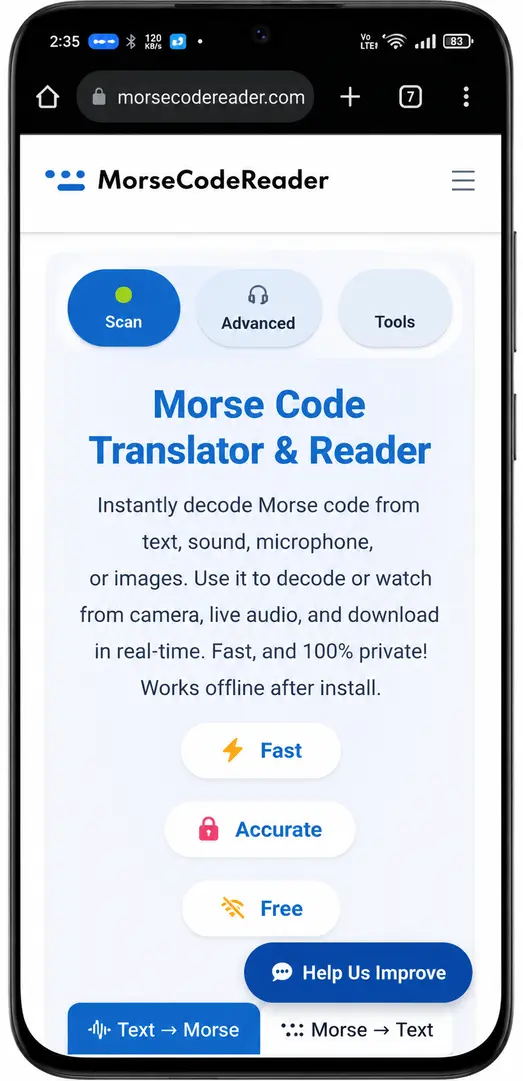
Turn your phone into a powerful Morse decoder! The official Morse code translator & reader app (com.morsecodereader.app) brings powerful decoding to your Android device. Decode text, sound, and images anytime, even offline. Lightweight, ad-free, and designed for speed.
How to Use the Morse Code Translator App?
After install:
Open MorseCodeReader.
Choose mode: Text Translator (type → convert to/from Morse), Sound Decoder (mic for beeps → text), Image Decoder (upload photo → decode).
Enjoy offline translation and decoding!
How to Convert Text to Morse Code Offline?
For offline, multi-input (text/sound/image) decoding without ads or data collection — yes, many users prefer it over web tools or heavier apps. Official, updated March 2026, direct APK.
Key Features
Sound Decoder
Instantly translate Morse beeps, tones, or microphone input into readable text — ideal for real-time listening and practice.
Image Decoder
Upload photos, screenshots, or dot-dash charts of Morse code for accurate visual decoding to English text.
Text Translator
Convert any message to Morse code (dots/dashes, optional sound/flash output) or decode Morse back to text in seconds.
Offline-Ready
Full decoding and translation without internet after the initial install — works anywhere.
Ad-Free & Privacy-Focused
Completely free, no ads, no trackers, no data collection — secure and user-friendly Morse tools.
How to Install the APK
- Tap the download button above to save the APK.
- Open your Downloads folder and tap morse-code-reader.apk.
- Allow installation from “Unknown Sources” when prompted (one-time step).
- Launch the app and start decoding Morse instantly!
Verified & Safe
This is the official Android app built by MorseCodeReader.com. The APK is malware-free, lightweight, and verified for security. No ads, no trackers — just pure Morse decoding.
Frequently Asked Questions
Explore More Morse Code Tools
Check out these essential Morse tools:
- Morse Code Simulator – Simulate Morse messages and practice decoding.
- Morse Code Image Decoder – Decode Morse from images and diagrams.
- Morse Code Translator – Convert text to and from Morse code instantly.