
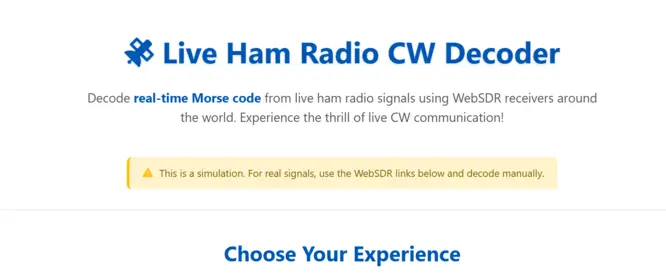
Live Ham Radio CW Decoder
Decode real-time Morse code from live ham radio signals using WebSDR receivers around the world. Experience the thrill of live CW communication!
Choose Your Experience
Try Simulation
Experience how Morse code decoding works with realistic simulated signals. Perfect for beginners learning Morse code.
Real WebSDR + Manual Decode
Connect to actual live ham radio signals using WebSDR receivers. You’ll need to manually copy the Morse code or use our decoder tool alongside.
Live WebSDR Receivers for CW
Morse Code Decoder
Decoder Output
Tips for Finding Real CW Signals
- Best frequencies for CW: 3.5-3.6 MHz (80m), 7.0-7.1 MHz (40m), 14.0-14.1 MHz (20m), 21.0-21.1 MHz (15m), 28.0-28.1 MHz (10m)
- Peak times: Evenings (local time) for 40m and 80m, daylight hours for 20m and higher bands
- Contests: Weekends often have more CW activity, especially during ham radio contests
- Adjust bandwidth: Set your SDR bandwidth to 500 Hz or less for best CW reception
- Try different WebSDRs: If you don’t hear anything on one receiver, try another location or frequency band
Next Steps for Real Decoding
To decode real Morse code from WebSDRs:
- Open a WebSDR receiver from the list above
- Tune to a CW frequency (see tips above)
- Listen for Morse code signals (sounds like beeps)
- Use our Morse Code Reader tool to decode what you hear
- Or learn to decode manually – it’s a valuable skill!
If WebSDR Links Don’t Work
- Try KiwiSDR Network first – most reliable in 2026
- Search for “WebSDR” on Google – new receivers appear regularly
- Check Reddit /r/amateurradio – community shares working receivers
- Use browser extensions – some bypass regional restrictions
- Try during off-peak hours – less traffic on receivers
What is a live Morse code decoder?
A live Morse code decoder listens to real ham radio CW (continuous wave) signals via SDR receivers and converts them into readable text — directly in your browser, no downloads needed.
How the Live Morse Code Decoder Works
The live Morse code decoder operates by leveraging publicly available software-defined radio (SDR) receivers, such as those from the WebSDR network and KiwiSDR map. These online receivers capture over-the-air ham radio signals from antennas worldwide, streaming them directly to your browser.
Here’s a step-by-step breakdown:
- Select a Receiver: Choose from a curated list of active SDR stations, like the University of Twente in the Netherlands (known for its broad HF band coverage) or KiwiSDR instances in California for trans-Pacific signals.
- Tune to CW Bands: Focus on amateur radio frequencies where Morse code thrives, such as 7.0-7.1 MHz (40 meters) for evening chats or 14.0-14.1 MHz (20 meters) for daytime DXing (long-distance contacts).
- Capture and Decode: In simulation mode, the tool mimics real decoding with randomized signals, noise, and partial reads for practice. For actual use, open the SDR in a new tab, route the audio (via virtual cables like VB-Cable on Windows), and feed it into our decoder engine. It analyzes the beeps—short dits and longer dahs—converting them into text like “CQ CQ DE WA6XYZ” (a call for contacts from station WA6XYZ).
- Visual Feedback: Watch signal strength bars fluctuate and a pulsing waveform indicator to gauge reception quality, just like on a physical rig.
This setup relies on HTML5 audio streams and JavaScript-based processing, ensuring no downloads are needed. While full automation is in development (using Web Audio API for seamless integration), the current manual routing mirrors how many hams decode modes like RTTY or PSK31.
Is Morse code still relevant in amateur radio?
Morse code (CW) is no longer required for FCC amateur radio exams, but it remains one of the most effective and respected communication modes in ham radio. Many General and Extra class operators actively use CW because it performs exceptionally well in weak-signal conditions, requires minimal bandwidth, and works reliably when voice and digital modes fail.
Key Features of the Live Morse Code Decoder
Our tool stands out with practical, ham-focused elements:
- Curated SDR List: Handpicked receivers with CW hints, like “Try 7.030 MHz for North American nets,” including status notes for reliability.
- Simulation Mode: Realistic practice with variable timing, signal reports (e.g., SNR: 15 dB), and occasional static to simulate fading propagation.
- Decoder Controls: Start/stop/clear buttons, plus output in monospaced font for easy reading of callsigns and QSOs (conversations).
- Tips Integration: Guidance on bands, peak times (e.g., weekends during ARRL contests), and bandwidth settings to optimize for CW.
- Mobile-Friendly Design: Responsive layout for decoding on the go, with big buttons for touchscreen use.
Backed by our expertise in Morse algorithms, it handles speeds from 5-40 WPM (words per minute) and recognizes prosigns like “BT” for breaks.
Why Use the Live Decoder?
Using the live Morse code decoder offers tangible advantages:
- No hardware needed — Access real ham radio signals instantly through WebSDR receivers worldwide. No transceiver, antenna, or software installation required.
- Practice with real signals — Unlike static audio files, live CW transmissions include real-world noise, fading, and varying speeds — the closest thing to actual on-air experience.
- Find contests and DX activity — Spot rare DXpeditions or weekend contests as they happen, then decode callsigns and exchanges in real time.
- Visual text output — Useful for operators with hearing difficulties who want to follow CW conversations through readable decoded text.
- Free and instant — No sign-up, no cost. Open the page, pick a receiver, and start decoding.
Operators report faster proficiency gains, with one user noting, “It turned abstract dots and dashes into actual conversations overnight.”
Who Should Use This Tool?
This tool targets a diverse group within the amateur radio ecosystem:
- New hams and students — Get comfortable with real CW before your first on-air contact
- General and Extra class operators — Quick decoding during portable ops, field day, or contests without hauling extra gear
- Instructors and clubs — Live demo tool for Morse code classes or virtual club meetings
- Emergency preppers — Build practical CW skills for low-power, off-grid communication scenarios
If you’re curious about telegraphy or already chasing DXCC awards (contacting 100 countries), this fits your kit.
New to Morse code? Visit our Morse Code Translator to learn the basics before decoding live signals.FAQs
Discover More Morse Code Tools
Ready for more practice? Explore our full collection of free Morse code tools, games, and interactive experiences.
See All Morse Tools →